Book a free SEO check - Let's check your SEO together

Guide: SEO for Beginners – 10 Steps to the Top of Search Engines

Kirjoittanut Tapio Kauranen

Kirjoitettu: 21.7.2026 - Muokattu: 22.7.2026

Sisällysluettelo

SEO for Beginners

SEO, or Search Engine Optimization, is essential if you want to do business online

This SEO quick guide includes all the small and large search engine optimization measures to get your site appearing in Google’s top results.

The list is written with over 10 years of search engine optimization experience (see who I am).

The list works for both small and large websites. For online stores and regular websites.

How to use this SEO quick guide?

With these measures, I have personally achieved massive results for hundreds of different websites.

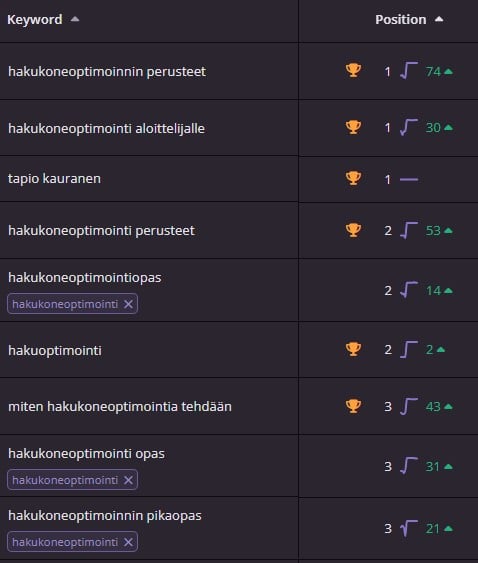
Toipumo achieved top-3 visibility thanks to these instructions for the highly competitive keyword “päihdekuntoutus”.

Many people don’t know this, but you cannot advertise addiction rehabilitation on Google because the topic is too sensitive.

For this reason, all addiction rehabilitation facilities must compete solely with organic results. It is not possible to buy visibility.


Toipumo content production search engine optimization


However, you do not need to follow this guide word for word.

Search engine optimization is a multi-part process, but often making just a few strategic changes helps significantly in achieving visibility.

SEO Basics

Install Google Search Console

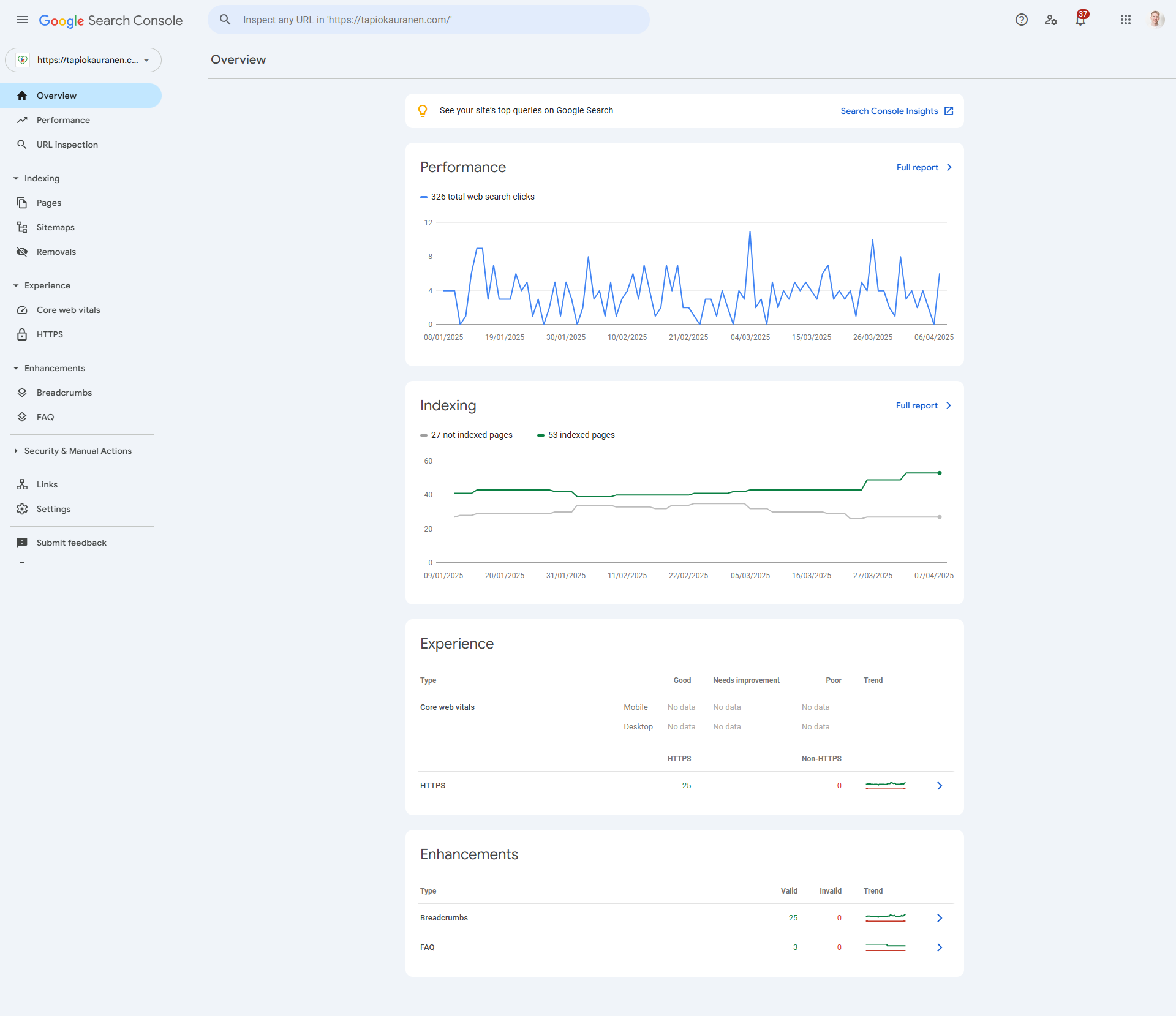
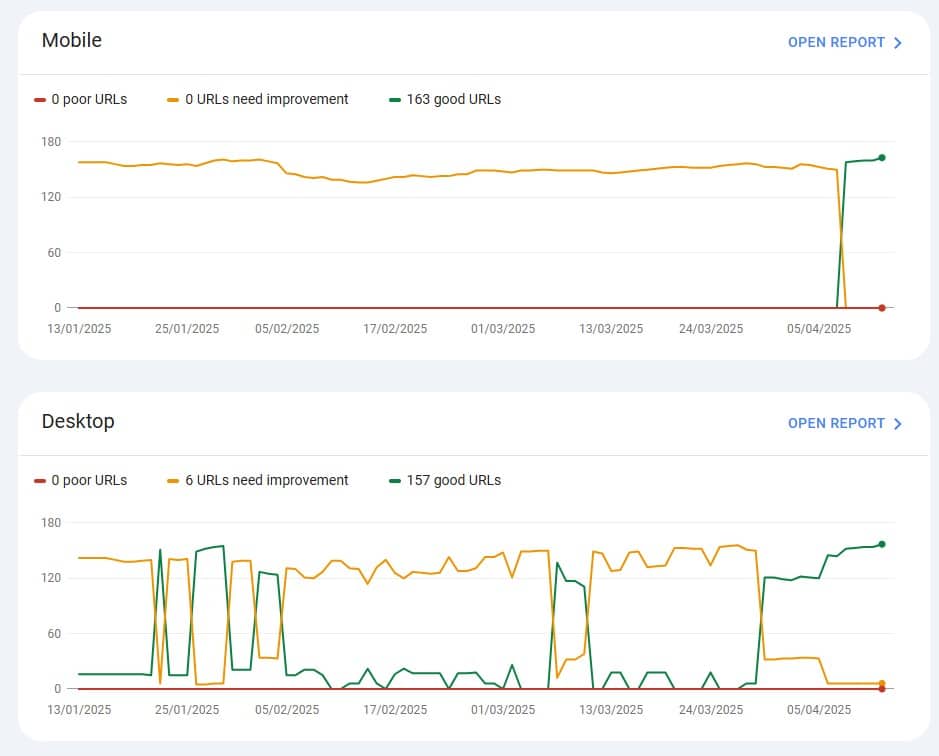
Google Search Console is the best tool for monitoring search engine optimization. It provides data directly from Google.

With Search Console, you can directly monitor which keywords your site appears for in Google and which of those keywords people have clicked on.

  • You can see which keywords bring the most visitors to your site
  • You can see which are your site’s most important pages from an SEO perspective
  • You can see which sites link to yours
  • You can submit your sitemap to Google
  • Check your site’s loading speed
  • Check for site errors
  • Check your site’s security

I claim that Google Search Console is the most important of all SEO tools.

Go to Search Console
Google Search Console hakukoneoptimointi

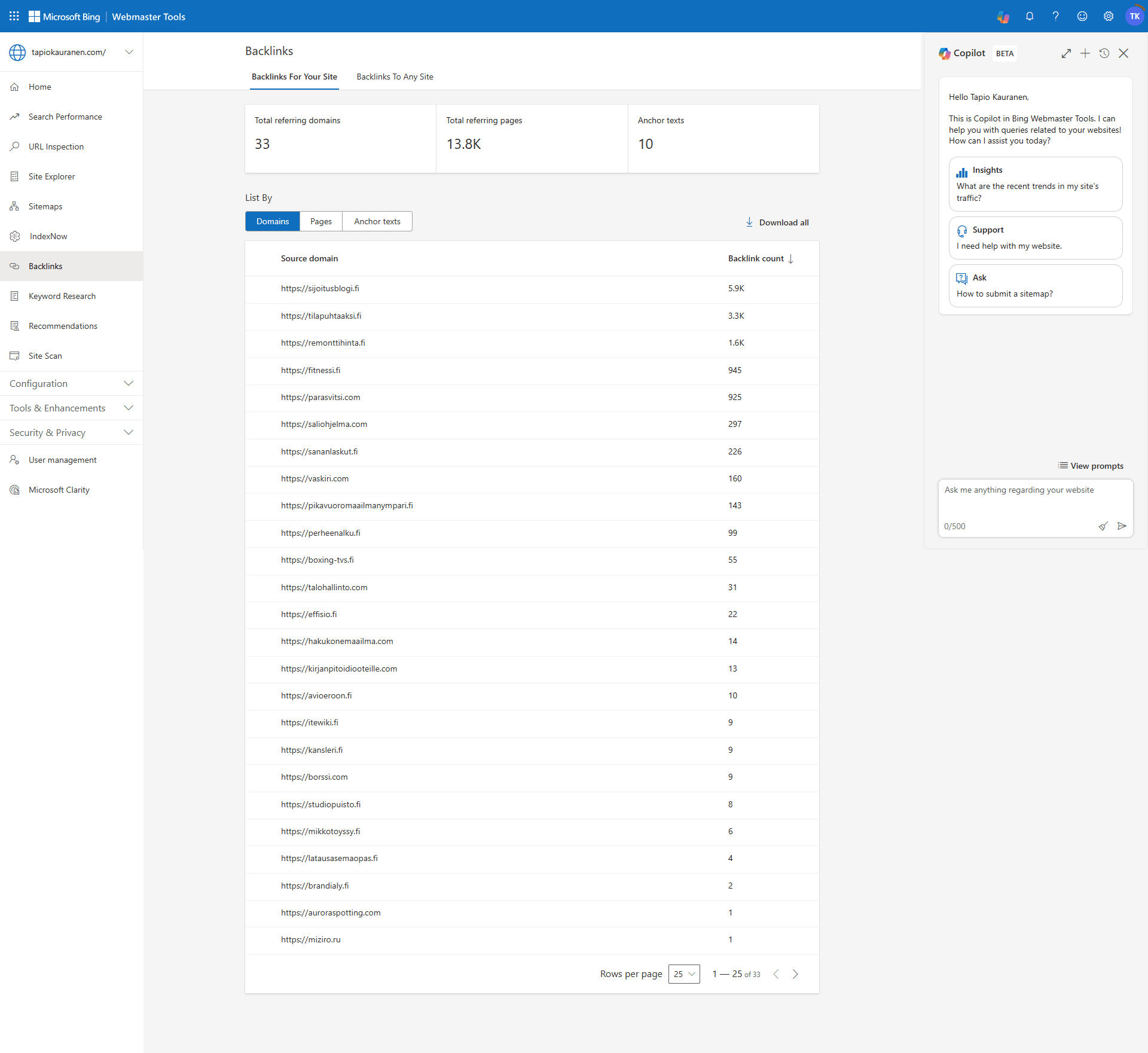
Install Bing Webmaster Tools

Did you know that OpenAI’s ChatGPT uses Bing as its search engine? Being visible in Bing is more important than ever nowadays.

With Bing Webmaster Tools, you can help Bing find your site and rank it in search results.

This way, you automatically gain visibility in ChatGPT as well.

Go to Bing Webmaster Tools
Install Google Analytics

The world’s most popular analytics software for free

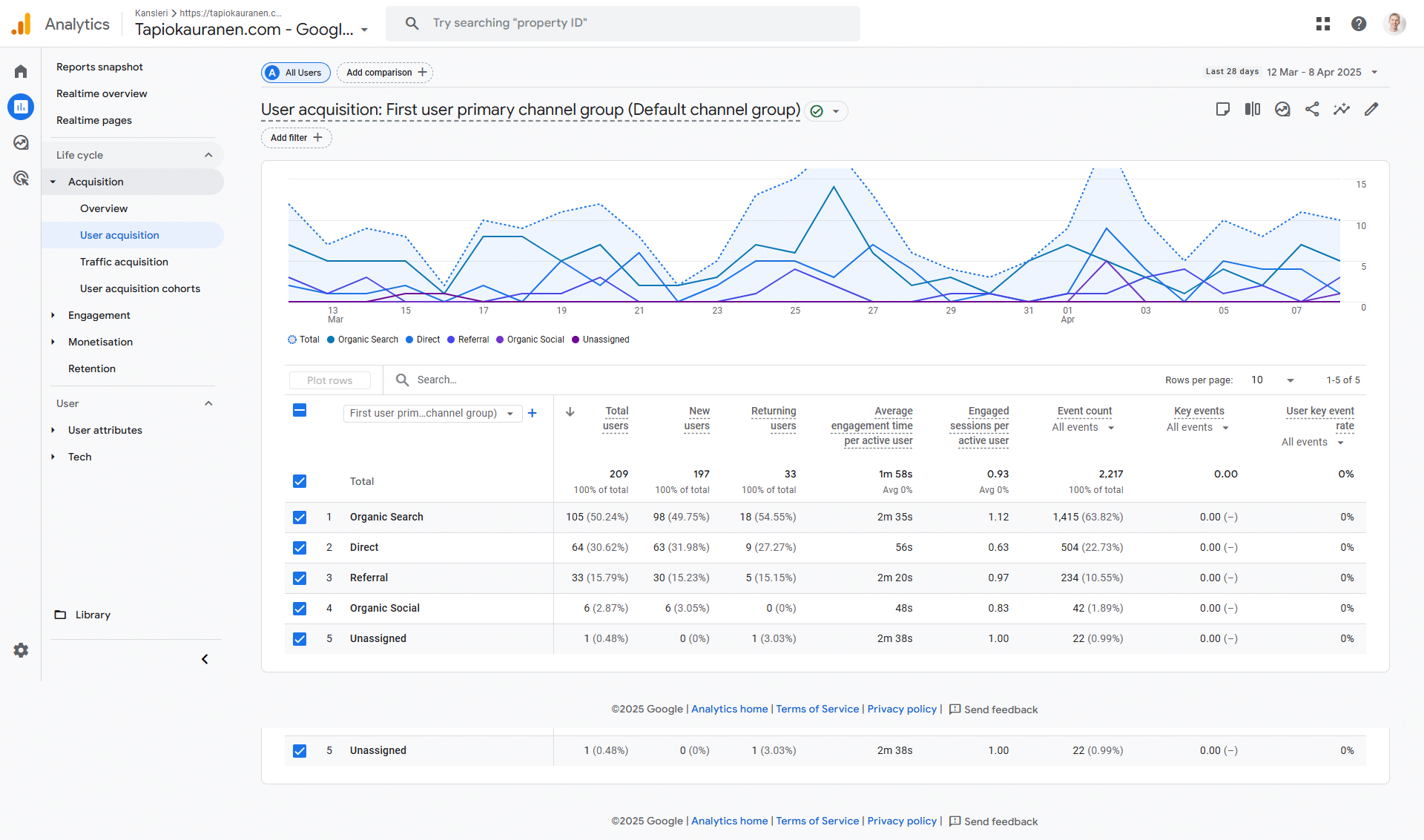
With Google Analytics you can

  • Track how many visitors you get from Google
  • What visitors do on your sites
  • Whether users on your sites do what you want them to do (e.g. contact you)
  • See what sources bring visitors to your site

Pro tip: It’s worth combining Google Analytics and Search Console so they share data with each other

Go to Google Analytics

Install Yoast SEO (WordPress and Shopify)

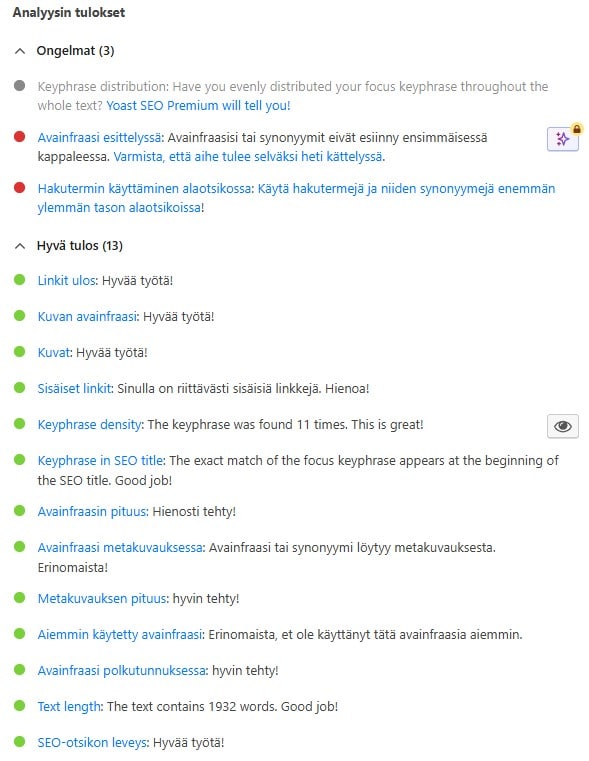
Yoast SEO is the world’s most popular search engine optimization tool. Available for WordPress and Shopify.

Yoast SEO helps you optimize your site for search engines using an easy traffic light system.

Most of the time when you get all the lights green, your Google visibility is also excellent.

There is a paid version of Yoast, but I personally have always managed with the free version. Decide for yourself whether you want to pay for the extra features or not.

Download Yoast

Decide what you are aiming for and set KPIs
(Key Points of Interest)

Are you aiming for more sales with search engine optimization? More visits? Or something else?

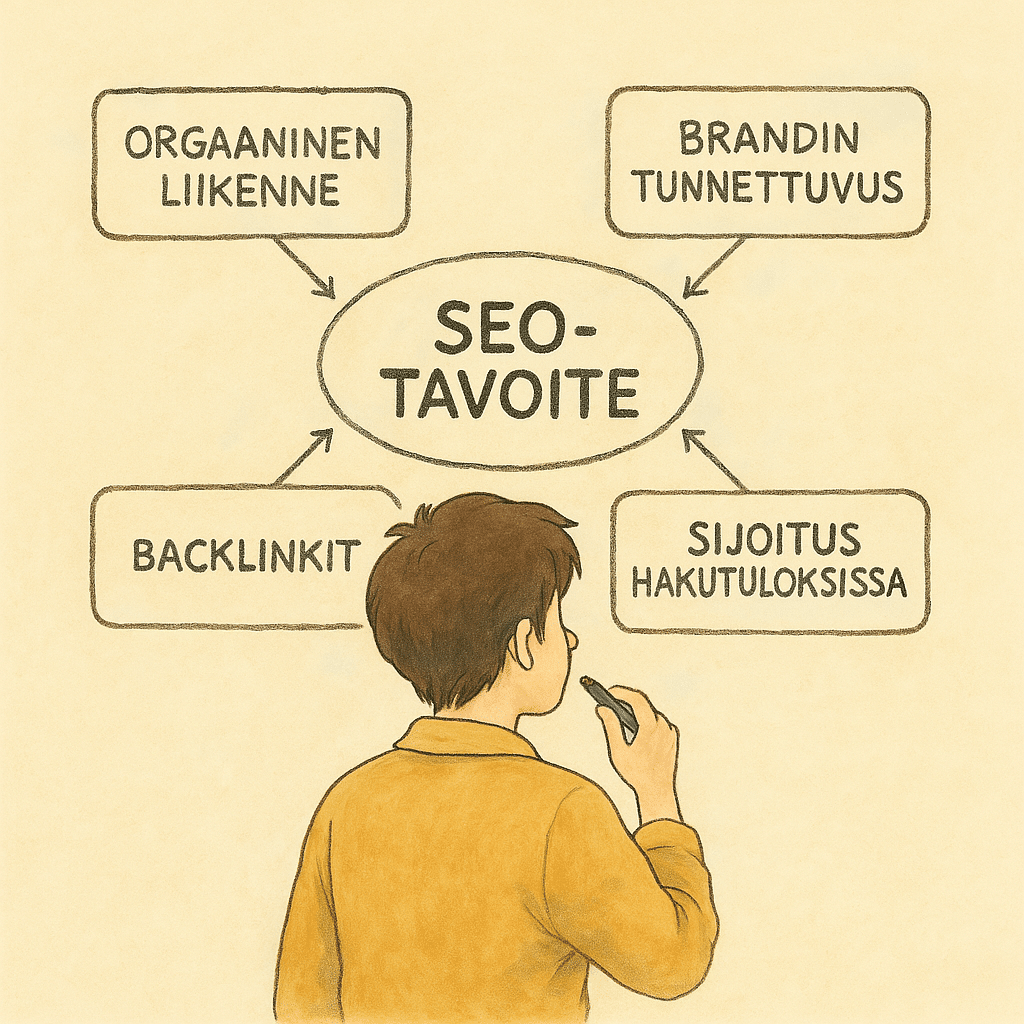
Here are the typical goals:

  • Organic traffic. Additional traffic to your sites is always positive.
  • Brand awareness. Better visibility in various search results increases your brand awareness. It also works the other way around. Well-known brands often rank well in Google too, because their search results are more likely to be clicked.
  • Growing external links (backlinks): External links, or backlinks, are still one of the biggest factors in search visibility. External links from trusted sites are a sign that your site provides such high-quality information to the reader that others want to use it as a source.
  • Specific position in search results. Sometimes the goal of search engine optimization is simply to improve visibility for a specific search term. Maybe you want to move a big search term from position 10 to position 3.

By defining the goal or goals, it is possible to track the results of search engine optimization more precisely.

I recommend building a dashboard for yourself with Google Looker Studio (formerly Data Studio) that allows you to easily track these metrics as search engine optimization progresses.

Seo hakukoneoptimointi tavoitteet

(optional) Activate Wincher

Wincher is my favorite tool for tracking search engine optimization (SERP tool).

With Wincher you can

  • Test immediately what position you appear in for specific search terms
  • Compare how you appear compared to others in the same search
  • Compare how high-quality your website is compared to others
  • Easy email reporting
  • Easy dashboard
Wincher.com

Keyword Research

Keyword research is the cornerstone of search engine optimization. Without keyword research, you have to do SEO blindly.

Know your audience

Identifying your audience is extremely important in search engine optimization. You need to know what people mean when they search for something (Search Intent)

Think about:

  • Who is your dream customer? What does their customer profile look like? What language do they use and what kind of content do they consume?
  • What is their problem? How can you help them solve their problem.
  • What are they looking for. Are they looking for a service or just general information about the service. Are they ready to buy or are they just looking for comparisons.

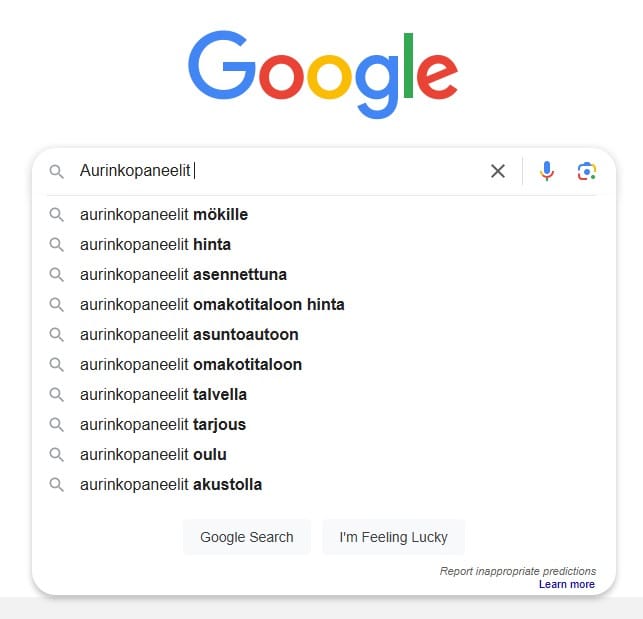
Try Google’s autocomplete

Give Google one word and see what other words it suggests

Each of these words is something people search for a lot on Google.

They also work as suggestions for what topics you should write content about on your website.

This data comes directly from Google, so I believe these words are very important. Google’s autocomplete for search keywords is the easiest way to do keyword research.

Jump to Google from here
avainsanatutkimus google hakukoneoptimointi pikaopas

Log in to Google Keyword Tool

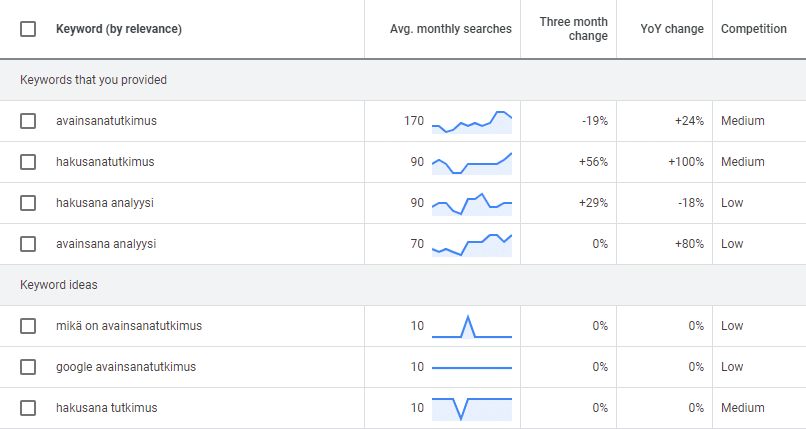
In my opinion, the best keyword tool is Google’s own

With Google’s keyword tool you can

  • Find out how many times certain search terms are searched in each country and in each language
  • Get ideas for other similar keywords
  • See the search history of keywords
  • See how much advertisers are willing to pay for visibility in the words (competition)
  • You can export the keywords to Google Sheets
Jump to Google from here
Google Avainsanatutkimus Hakusanatutkimus Avainsana analyysi

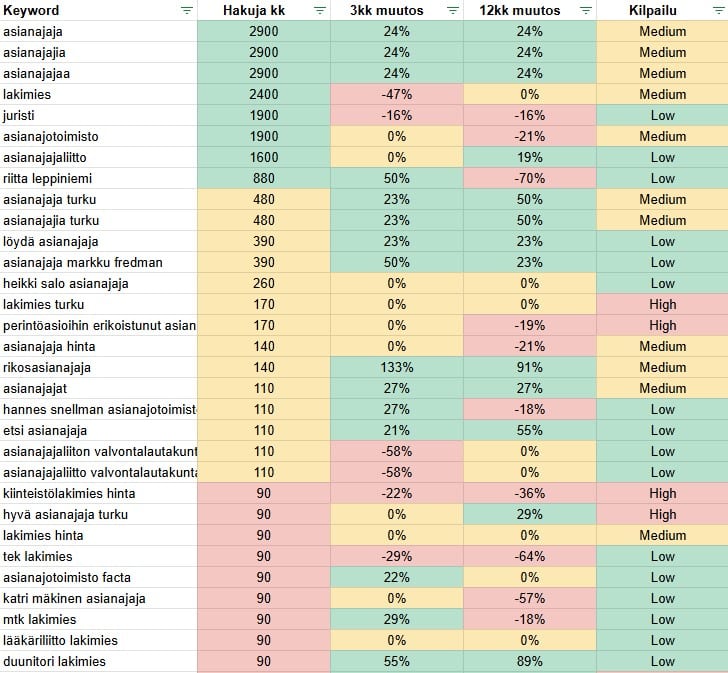
Export keyword list to Google Sheets

Export keywords from Google’s keyword tool to Google Sheets and color code them

Create a filter from the keyword list and add conditional formatting that allows you to color code the keywords in the following style.

This helps you easily see the good keywords worth investing in for search engine optimization.

On-page SEO

It’s time to optimize your site’s content and create new content.

Add a keyword to the page URL

Keep your site URLs clear and easy to read.

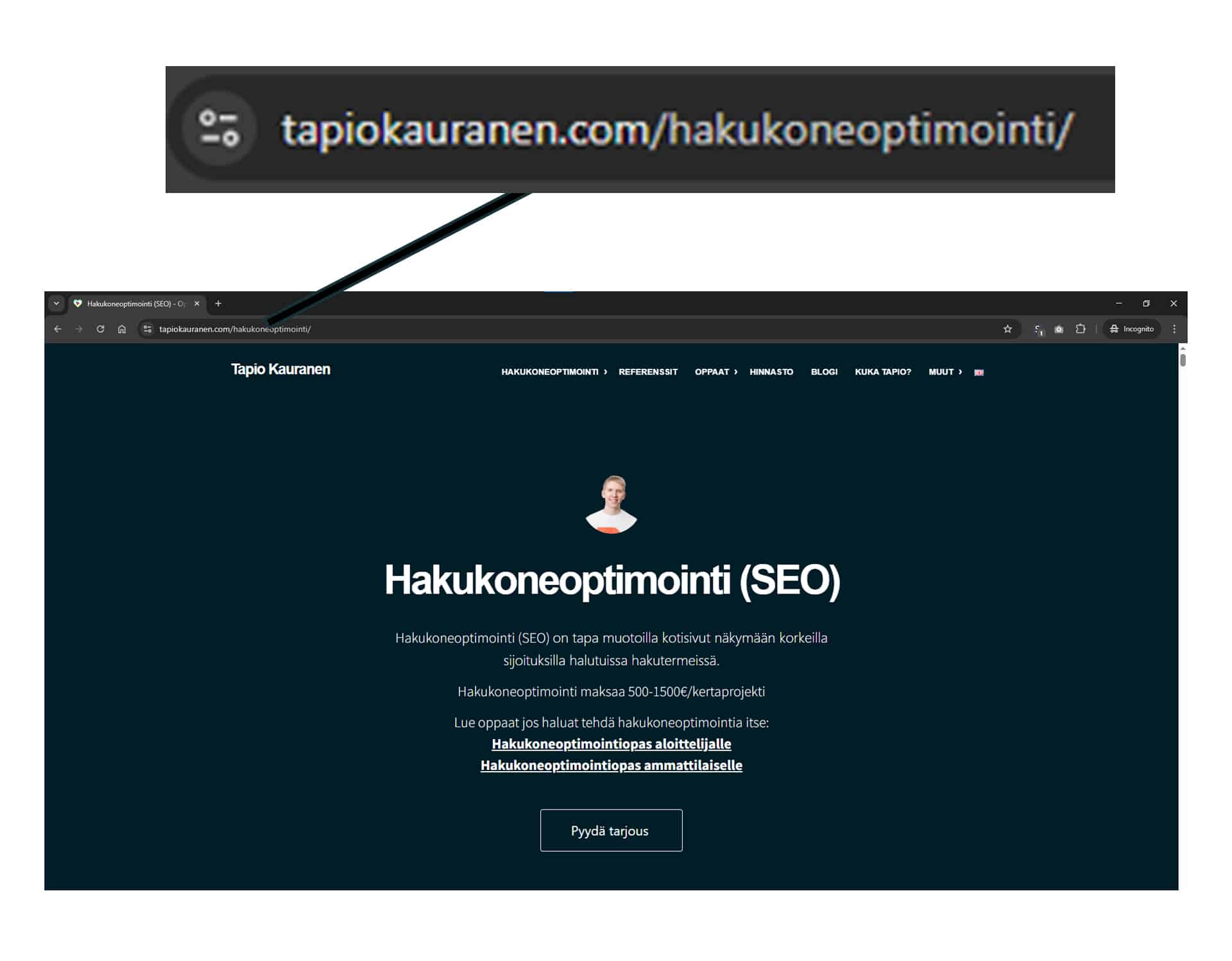
Remember to add the keyword to the URL that you want the page to be found for in Google.

E.g. this page’s URL is /hakukoneoptimointi-pikaopas, because I want this page to be found for the search “Hakukoneoptimointi pikaopas”.

Use the shortest possible URLs

Keep URLs concise.

Why?

Backlinko analyzed 11.8 million Google searches and found that shorter URLs perform best. Go to the study here.

Add the search term at the beginning of the page title

The search term you want your site to be found for should be first in the page title

Add a variable to the main heading

According to studies, variables added to the heading improve the headline’s click-through rate

Variables include for example

  • Best
  • Checklist
  • Guide
  • [current year]
  • Review
  • Call to action

Use the search term in the first paragraph of the page

Remember to also use the search term you have chosen in the text of the first paragraph

This way Google can more reliably rank the page for exactly the search term where you want it to appear

Use the search term in the page’s h1, h2, h3 headings

Make sure the search term is mentioned in the page headings

Optimize images

Remember to add ALT texts to the page images

Add ALT texts to images. They help Google include the images in the right searches in Google Images.

It also helps people with visual impairments use screen readers on your site.

Use synonyms

For example, if you want to rank for the search “How to start a blog”

You should also use these words in the page text

  • How to start a blog
  • Starting a blog
  • How to start a WordPress blog
  • This is how you start a blog

LSI keywords (Latent Semantic Indexing) are terms that are closely related to your main keyword. In other words, words that one would expect to be used when discussing your target keyword.

For example:

  • Writing
  • Website
  • Content creation

These words are unlikely to improve your ranking on their own, but they help Google better understand what your content is about.

Use external links

That is, create a link outside your own site

Linking to other high-quality sites improves the quality of your own content.

  • Link to sources
  • Link to explanations if you use professional terminology

Use internal links

Give the reader the opportunity to continue reading

As a rule of thumb, all content on your website should be within 2-3 clicks. From every page, it should be possible to continue to other related content.

Pro tip: In a WordPress site, you can use the Internal Link Juicer plugin to automatically link certain words to specific pages.

SEO optimization of text content

Without diamond content, it’s impossible to rank in Google.

Make texts readable

Nobody likes walls of text

This is why it’s good to break up text walls into paragraphs of maximum three lines.

This keeps your site’s bounce rate lower and helps people find the information they’re looking for more easily among everything else.

See how others do it and do it better

Google the search term where you want to appear, visit the top-3 best-ranking sites and think about how you can write even better content than them

Think about what added value your content offers?

Superficial treatment of a topic is no longer enough to guarantee a sustainable ranking in Google. You can’t just collect the subheadings (H2) from the current top results and call it ready-made content.

You must offer added value – more than what the current search results already provide.

Why would Google promote your content? And why would readers choose your content over others?

Use multimedia

Images, videos, lists, tables, infographics

There are two reasons for this:

First: Visualizing the content makes it higher quality.

Second: According to studies, multimedia pages rank better in search results.

I recommend adding high-quality multimedia to every single subpage of your website

  • Images
  • Charts
  • Infographics
  • Visual content
  • Videos
  • Surveys
  • Tables

Technical SEO

Technical SEO ensures that your site is readable

Identify site error messages and loading speed

Find out if Google found errors on your site

If your site has technical issues with security, mobile optimization, loading speed or other content, you won’t appear in Google.

You can easily see error notifications in Google Search Console

Make sure Google can see your pages

Sometimes people can see your pages, but Google cannot

If Google can’t read your pages then you can’t appear in Google.

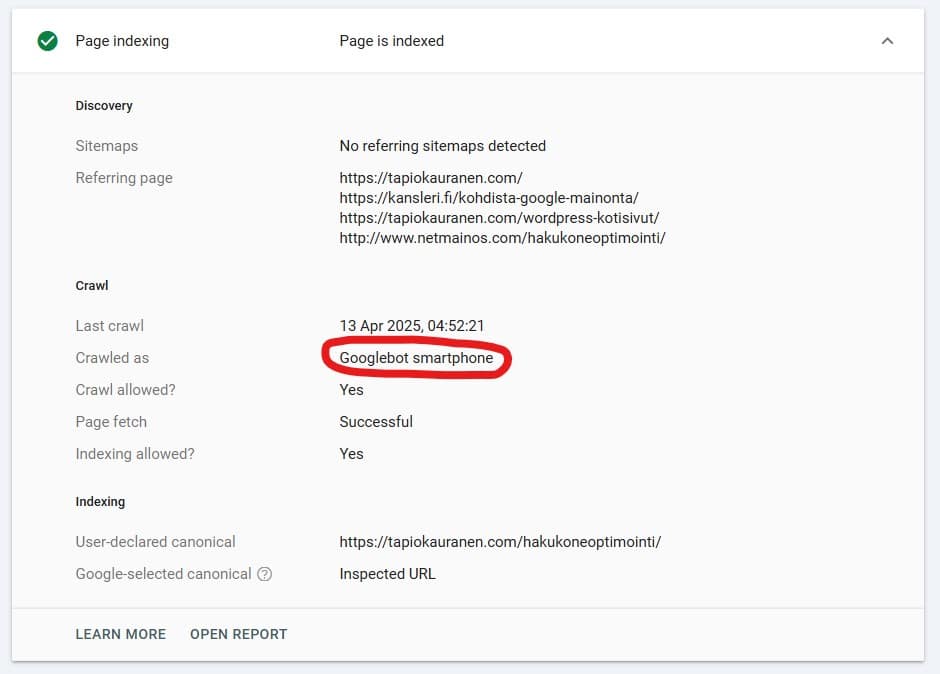
Try the Search Console “inspect url” feature

Make sure that

  • Google has indexed the page
  • The Crawled As section is “Googlebot”
  • There are no errors on the page

If the tool claims that the page has NOT been indexed you can request Google to index it.

Ensure mobile-friendliness

70% of your visitors browse on mobile devices

If your website is not mobile-friendly, you won’t appear in Google.

  • Use responsive design. Make sure every element on your site adapts to the size of the user’s screen.
  • Use short paragraphs. Make sure the paragraphs are
  • Avoid pop-ups

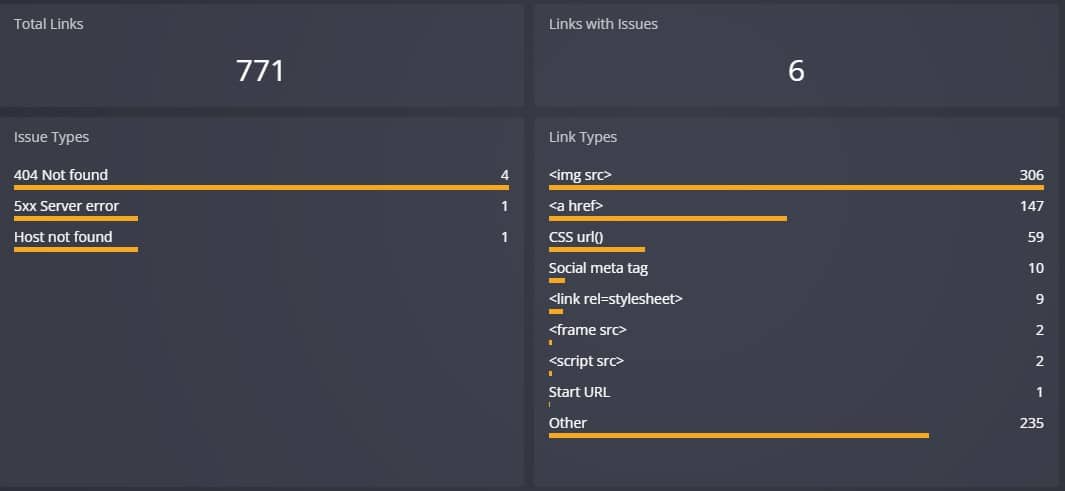
Fix broken links

Broken links harm search visibility and user experience

The easiest way to test your site’s links is with DrLinkCheck.com.

A free tool for checking links.

Drlinkcheck.com

Protect your site with an HTTPS connection

HTTPS has long been a confirmed Google ranking signal.

So if you haven’t already, it’s time to move your site to HTTPS.

HTTP redirect

(Or if you just launched a new site, set it up with HTTPS on day 1.)

That’s it for this check. It’s that simple.

Use Schema markup

Structured data, also known as Schema, helps search engines understand your content better. It can also help you get rich search results, such as star ratings and recipe duration in the search results.

SEO link building

Link building is the key to top-10 rankings in search engines

How does Google decide who appears in the top-10 positions for search terms where millions of different websites compete?

The answer is through links.

Links signal to Google that a website is trustworthy. However, not just any links will do. The links must come from trustworthy websites in the same industry and in the same language.

Below are instructions on how you can create high-quality links.

Write guest posts

Explore if there are blogs in your industry where you could write a guest post.

Add a signature at the end of the guest post with a link to your own website.

Make your content easily linkable

Make your site a source

Create content that is used as a source. Conduct research, tests, and otherwise just interesting content.

Steal your competitors’ links

See which sites link to your top 3 competitors’ websites.

Think about whether you can also get links from these sites.

Visit podcasts

Visit podcasts in your industry and ask them to add a link to your website on the podcast’s page.

Give references

Give testimonials, reviews, and references to others. Ask them to link to your pages in connection with the review.

Professionals’ secret SEO tips

Republish old blog posts

Do you have old blog posts from years ago?

Are they buried at the back of your blog archive?

Republish your old blogs. This way you can get your old content to rank better in Google.

Remove “zombie pages”

Do some research to see if you have a lot of subpages on your sites that no one visits.

These kinds of pages can include blog category pages or tag pages.

By removing these zombie pages, you can achieve better visibility in Google’s search results.

Final words of the SEO quick guide

Congratulations. You just read the SEO quick guide.

If you want to dive deeper into the world of SEO, it’s worth reading the search engine optimization guide I wrote for professionals

Search Engine Optimization Guide for Professionals (2025)