Book a free SEO check - Let's check your SEO together

Guide: How to Create 150,000 Blog Articles with AI

Kirjoittanut Tapio Kauranen

Kirjoitettu: 21.7.2026 - Muokattu: 22.7.2026

Sisällysluettelo

Warning! AI-generated content doesn’t work in Google!

This article was created because low-quality AI articles are being sold to Finnish entrepreneurs at high prices.

For this reason, I want to prove that you can generate thousands of articles yourself at a very low cost (150,000 articles for 39€) in just a few minutes.

However, these articles will not appear in Google. In the worst case, they might even completely destroy your Google visibility!

You have been warned.

Required tools

You will succeed with these tools

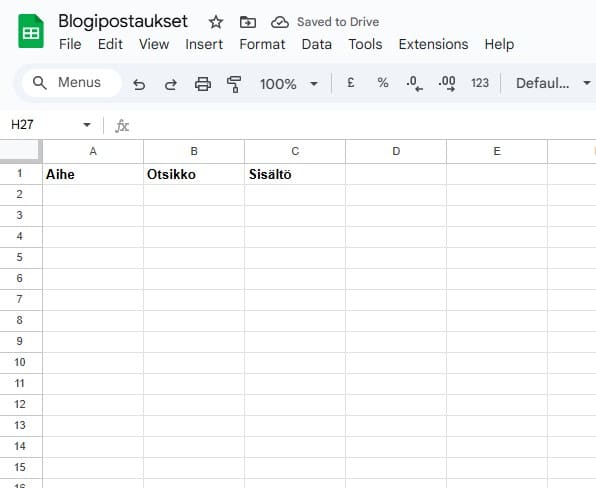
Create Google Sheets

Or copy this template of mine

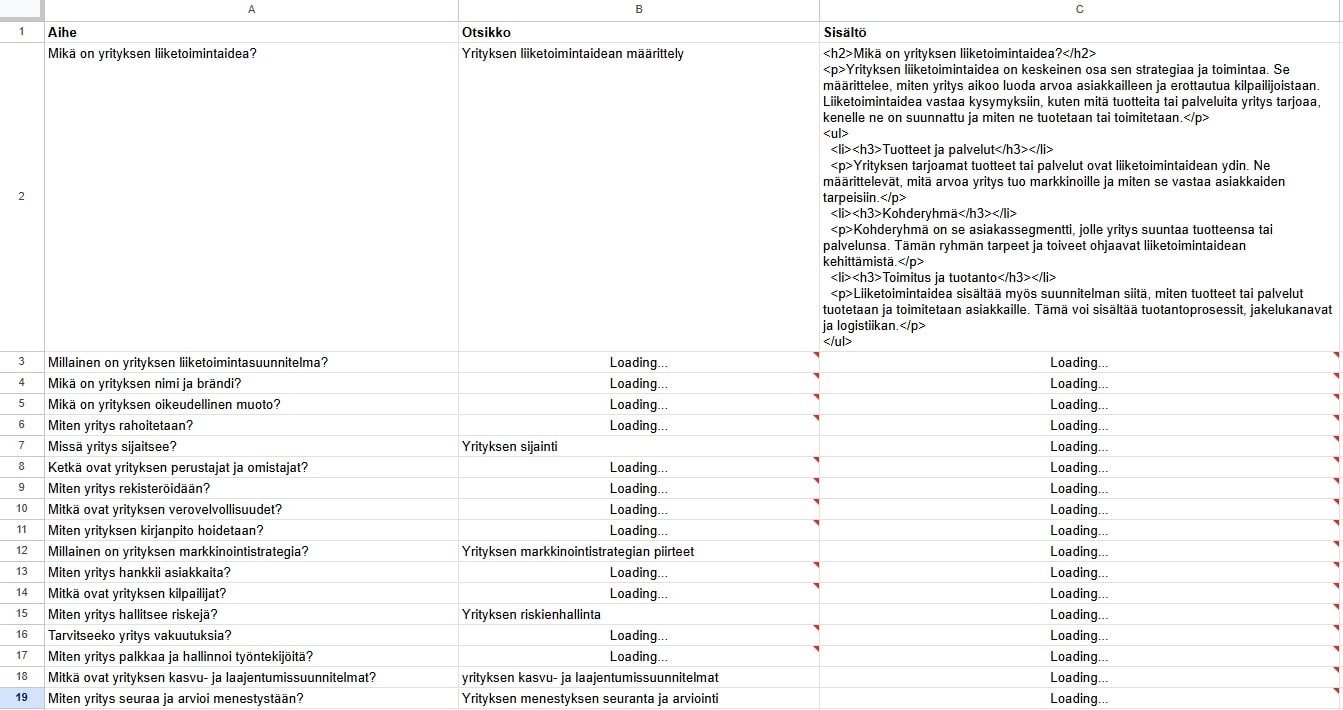
Create a new Google Sheet and name three different columns.

  • Topic = will be the topic from which the blog is created
  • Title = blog article title
  • Content = Content
Copy template from here

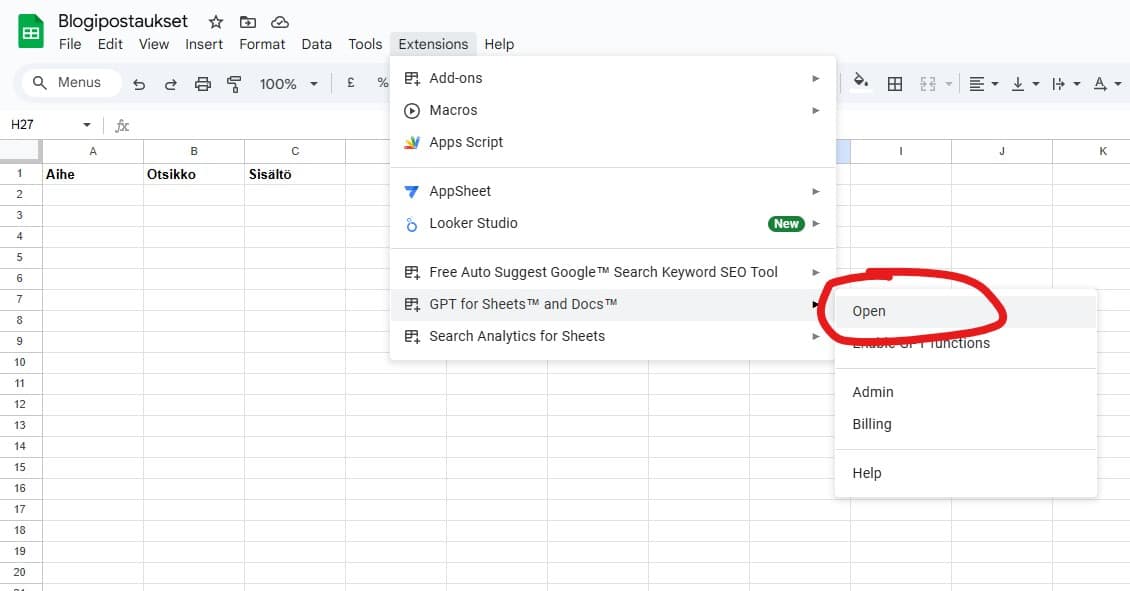
Install GPT for Work

Install an add-on called GPT for Work in Google Sheets

This connects artificial intelligence to Google Sheets

Install from here

Generate topics

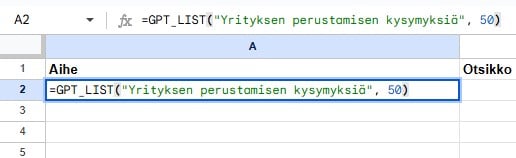
=GPT_LIST(“”) command creates a list of topics

When GPT for Work is installed, you can use its functions.

One of them is gpt_list.

For example, write:

  • =GPT_LIST(“Questions about starting a company”, 50)
  • Replace the text inside the quotation marks with your own topic
  • The number indicates how many list items will be created

Generate headlines

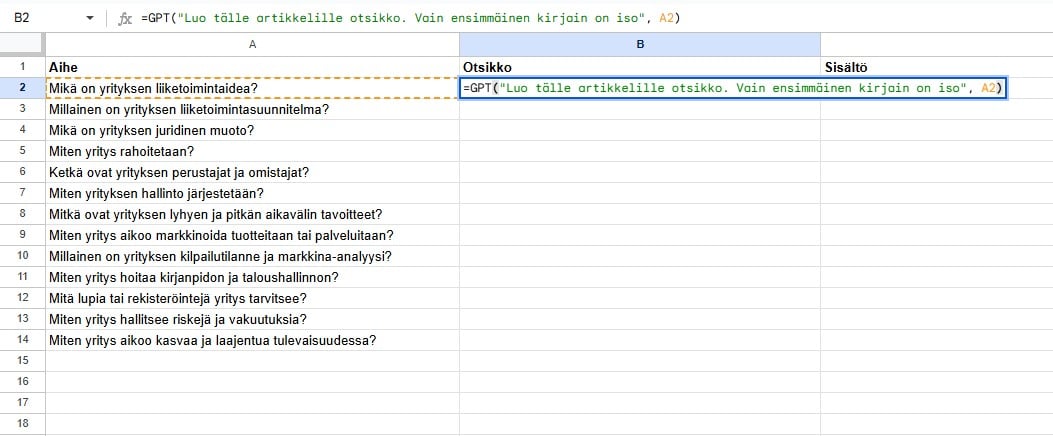
=GPT(“Create a headline for this article. Only the first letter is capitalized”, A2)

With this command, you can create a headline for an article based on the topic.

For some reason, the AI wants to start every word with a capital letter. That’s why I asked it to use only the first letter capitalized.

Generate content

=GPT(“Create article content in HTML format. Allowed tags are <h2><h3><p><li><ul><a>”, A2)

Next, the article content is created.

You can edit this however you like.

Duplicate

Once the first article has been created, duplicate the formula to the rows below

If there are thousands of rows, this may take a few minutes.

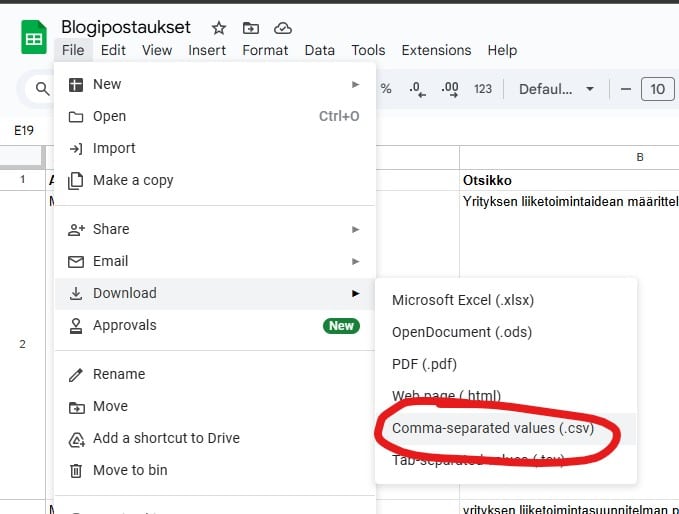
Save as CSV

Download the Sheet in CSV format

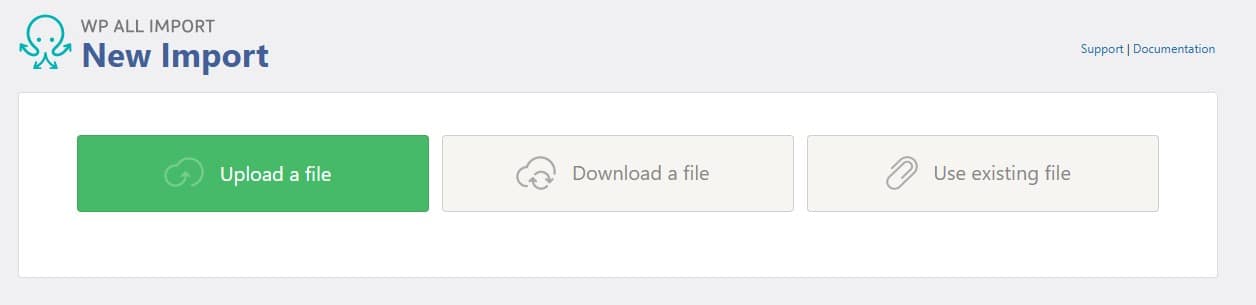
Import to WordPress

Install the WP All Import plugin and import the CSV using the “upload a file” function

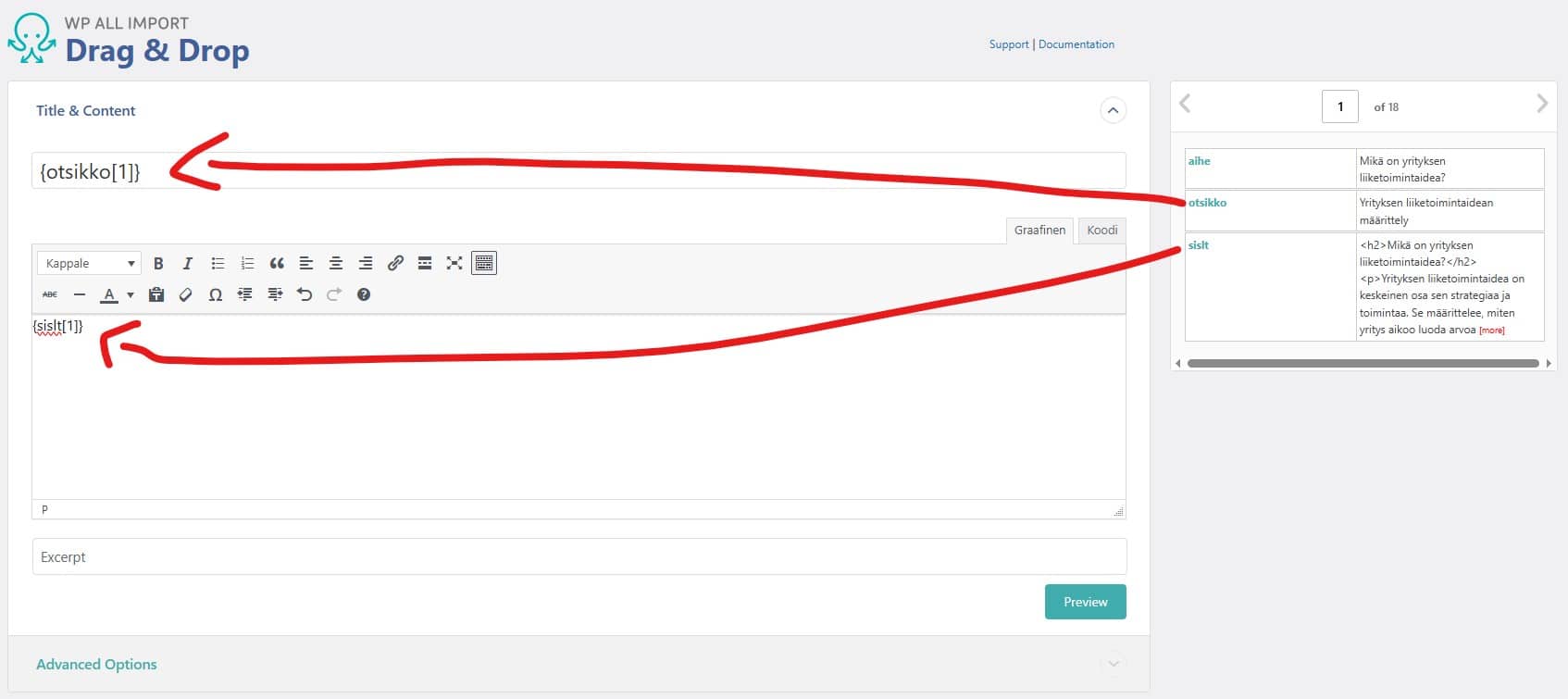
In the Drag & Drop section, place the title and content in the right spots

In the next section, click “auto detect”

Ready in just a few minutes!

The GPT for Work add-on costs 39€ and gives you 97 million tokens. You can generate almost 150,000 articles.
  • Avg. number of tokens per blog post: 650

  • Number of tokens: 97,000,000

  • Estimated number of blog posts: ~149,230